VPNs in Thailand: What They Protect and How to Choose
Understand VPN limits, compare provider terms and test a service on your own connection. A practical Thailand guide without unsupported speed rankings.

Editorial Team
Sep 2, 2026 · 7 min read
Status
A useful VPN for a trip to Thailand is one that meets a specific need on your own devices and connection. That might be access to an employer's network, using a different internet exit location, or reducing what an untrusted local network can observe. It is not a universal safety switch, and a league table of unexplained speed numbers cannot tell you which service will work best from your accommodation.
This is a desk-researched selection and testing guide. We have not conducted the two-week Hua Hin benchmark previously described on this page. The unsupported measurements and “best overall” awards have been removed.
What a VPN changes—and what it does not
A VPN creates an encrypted connection between your device and a VPN server for traffic routed through it. Websites then generally see the exit server's IP address rather than your ordinary connection's address. The VPN provider becomes another party you must trust; the tunnel does not make every activity anonymous.
The Electronic Frontier Foundation's VPN guide explains these limits. Signing in to an account can still identify you, and a VPN does not remove tracking cookies or make a malicious website trustworthy. A provider's audit is useful evidence about a defined system at a particular time, not a permanent guarantee.
For work, use the connection and security tools your employer approves. A personal consumer subscription is not automatically a substitute for access to your company's network. Do not install or reconfigure VPN software on a managed device without checking the organisation's rules.
Public Wi-Fi: avoid the scare story
It is inaccurate to say that everyone on a café network can automatically read all your passwords unless you buy a VPN. The US Federal Trade Commission explains that widespread HTTPS encryption has made public Wi-Fi use generally safer than it was when many sites transmitted information without encryption.
HTTPS protects the connection to the website, but does not prove the site is honest. Check the domain, keep your device and browser updated, use unique passwords and enable multi-factor authentication. Do not ignore certificate warnings. A VPN can be an additional tool for a particular privacy need; it does not replace these basics.
Three examples to compare, not a winners' podium
The following examples illustrate different buying decisions. Details were checked against the linked provider pages on 12 September 2026. They are provider-published terms, not our independent performance or privacy certification.
| Service | Verified point to consider | What you still need to check |
|---|---|---|
| Proton VPN Free | Proton says its free plan has unlimited data and bandwidth. It is a way to try its basic service without buying a long subscription. | The free plan's device and location-selection limits, and whether your required apps work. Unlimited data does not mean guaranteed speed or unrestricted server choice. |
| Mullvad | The direct pricing page lists €5 per month, including VAT, with the same monthly rate for longer periods and up to five devices. | Your payment currency, route availability, device support and refund conditions. Reseller or app-store prices may differ. |
| NordVPN | Its Thailand page describes a virtual Thai location, with the physical server in Singapore. | Whether you need a Thai IP address or a particular physical routing location, plus the exact subscription total and renewal terms. |
Sources: Proton's data-limit explanation, Proton Free versus paid, Mullvad pricing and NordVPN's Thailand server explanation.
We do not name the fastest service because we have no controlled local measurements supporting that claim. The right comparison is not simply the number of countries on a marketing page: first confirm that the service supports your actual operating system and the task you need it for.
A Thai IP address is not the same as a server in Thailand
A virtual location can present an IP address associated with Thailand while the machine handling the connection is elsewhere. NordVPN's published Singapore example illustrates why a server table needs to distinguish IP location from physical location. Singapore and Japan should not simply be labelled “Thailand servers”.
If location matters for a work application, ask its administrator what requirement actually applies. If it matters for performance, test the available routes on your own connection instead of assuming that the geographically nearest label must win.
Test the connection you will actually use
Use this repeatable checklist during a trial or short subscription, before committing to a longer purchase. These are suggested tests for the reader, not results measured by Ananas Insider.
- Record a baseline. Note the device, Wi-Fi or mobile connection, time, test service and destination. Run a speed test without the VPN if your network and workplace policy permit it. Record download, upload and latency rather than download alone.
- Change one variable. Connect the VPN and record its exit location and protocol. Repeat using the same test destination. Avoid comparing mobile data in one run with hotel Wi-Fi in the other.
- Try a real task. Join a test call, upload a non-sensitive file or use the ordinary application you need. A large download number does not show whether a call will remain stable.
- Repeat at another time. One result can reflect congestion or a temporary fault. Keep several observations instead of promoting the best result into a guarantee.
- Check reconnect behaviour. On a non-sensitive test session, follow the provider's instructions to see how its auto-connect and kill-switch options behave after sleep or a network change. Features differ between operating systems.
A simple log can have these columns: date/time, device, network, VPN location, protocol, download, upload, latency, task completed and any interruptions. This gives you evidence for your own decision and useful details for support without pretending to be a laboratory benchmark.
Read the bill, not just the monthly equivalent
Before paying, write down the amount due now, the period it covers, the renewal amount, applicable taxes and cancellation method. A promoted monthly equivalent on a multi-year plan is not a month-to-month price. A refund window can have conditions and should not be described as entirely risk-free.
For a short trip, compare the total you would actually pay for that trip with the upfront cost of a longer commitment. Include any unwanted extras selected at checkout. Do not buy more months solely because the per-month headline looks smaller.
Streaming and banking need separate checks
A VPN does not guarantee access to a streaming catalogue. Netflix's own help page says VPN connections may be limited to titles with worldwide rights; it also says VPNs are not supported for live events or an ad-supported experience. Check the service's terms and supported use rather than relying on a VPN advertisement.
If a banking or work app refuses the connection, follow that application's official support guidance. Do not disable security controls indiscriminately or install an unofficial modified app. If appropriate for your circumstances, use your own mobile data and the official app instead. Never give a supposed VPN support agent your bank password or one-time code.
A sensible decision rule
Choose by need first, verify the current terms, and test on your own network. Keep a subscription only if it solves the problem you identified. If your sole concern is ordinary HTTPS browsing, focus first on account security and device updates rather than assuming that a paid VPN is compulsory.
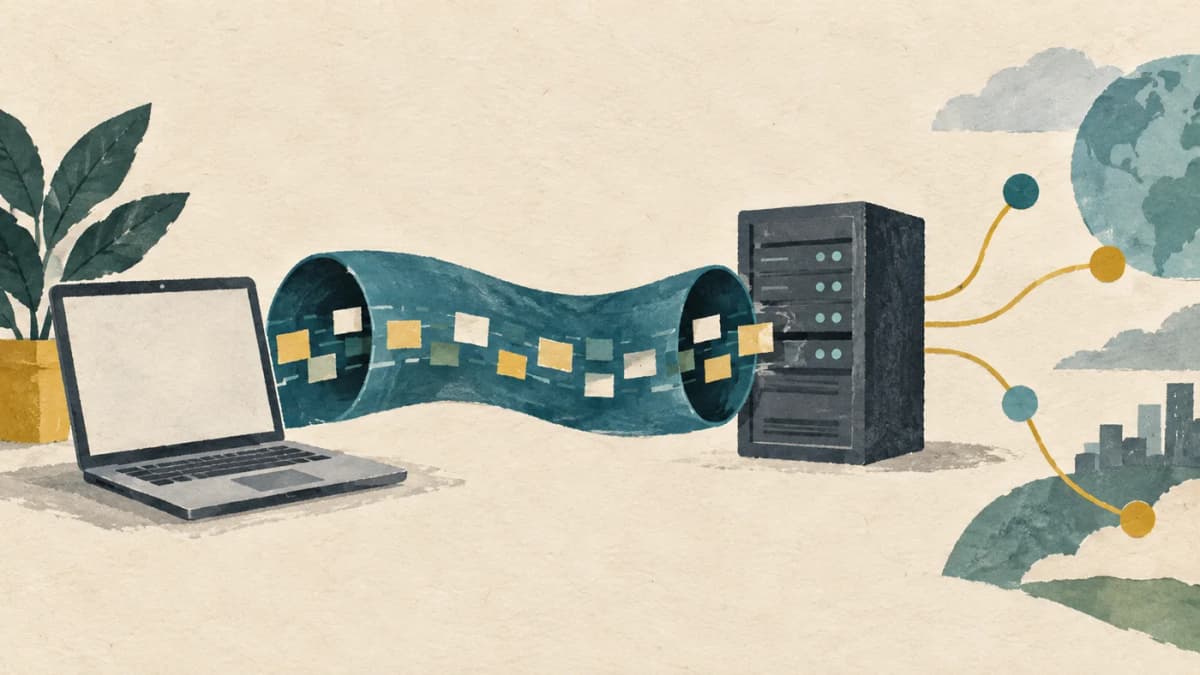
Editorial correction, 12 September 2026: removed unsupported Hua Hin speed tests, invented test conditions, categorical streaming awards, inaccurate public-Wi-Fi claims, misleading server geography and blanket legal-risk assurances. Provider features and prices are dated observations, not performance guarantees. The cover is a disclosed AI-generated conceptual illustration.
Ananas Premium
Unlock Hua Hin's Best Property & Investment Insights
Enjoying our free content? Get unlimited access to premium articles, local market intelligence, member briefings, and exclusive checklists for ฿290 / $9.95 per month.
Sources & Verification
- VPN scope, trust in the provider and limits of anonymity and audit evidence. — Electronic Frontier Foundation — Choosing the VPN That's Right for YouSource
- HTTPS protects ordinary web traffic; public Wi-Fi does not automatically expose all passwords. — Federal Trade Commission — Public Wi-Fi safetySource
- Proton states free users have unlimited bandwidth and data; plan capabilities differ. — Proton VPN — bandwidth limitsSource
- Direct Mullvad price €5/month including VAT, up to five devices, checked 12 September 2026. — Mullvad pricingSource
- NordVPN describes its Thai virtual location as physically hosted in Singapore. — NordVPN — Thailand virtual locationSource
- Netflix describes catalogue and plan restrictions on VPN use. — Netflix Help — watching through a VPNSource